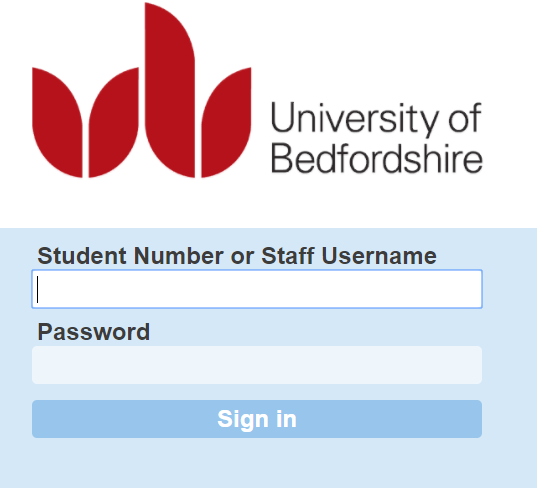
We are having a problem with access to VLE books this morning. Once you've logged in with your UoB details you may see a further login screen and not be able to get past it:
We have raised this with the supplier urgently and hope to have it resolved soon. This affects ebooks purchased through Askews and Holts
and with vlebooks.com in the URL. Ebooks on the Dawsonera platform are not affected.

Monday, 18 June 2018
Library system maintenance 18-06-18 (8pm-midnight)
The Library Management System (Sierra) will be unavailable
between 8pm and midnight on Monday 18th June 2018 so a software upgrade can be
completed.
The following products won't be available during this time:
Self-service units
Laptop loans
Telephone renewals
Any URL including 0-....brum.beds.ac.uk
Access to the majority of ejournals, databases, ebooks will
still be available via DISCOVER
or via this link.
Thursday, 14 June 2018
SpringerNature journals error message and workaround
We currently have a problem with journals on the SpringerNature platform (link.springer.com):
This is essentially the same problem as the Proxy errors we have been experiencing for a while with Wiley, Emerald, Taylor & Francis and IEEE journals.
We have rewritten the links from the library catalogue to avoid the problem but you may still see the problem when trying to access journal articles from DISCOVER. If this happens we suggest running a Journal title search in the library catalogue:
If you are on campus, you can choose the on campus link, otherwise choose via UK Access Management Federation:
and login to the UoB login screen with your usual UoB username and password:
You'll then be on the journal homepage and can use browse or search to find the article from your Discover results:
If you still struggle to access the article, please let us know and we will help you.
This is essentially the same problem as the Proxy errors we have been experiencing for a while with Wiley, Emerald, Taylor & Francis and IEEE journals.
We have rewritten the links from the library catalogue to avoid the problem but you may still see the problem when trying to access journal articles from DISCOVER. If this happens we suggest running a Journal title search in the library catalogue:
If you are on campus, you can choose the on campus link, otherwise choose via UK Access Management Federation:
and login to the UoB login screen with your usual UoB username and password:
You'll then be on the journal homepage and can use browse or search to find the article from your Discover results:
If you still struggle to access the article, please let us know and we will help you.
Tuesday, 5 June 2018
Problems accessing folders in DISCOVER/EBSCO databases - further update
We are aware that some users are still unable to access their folders in DISCOVER/Ebsco databases. We and many other libraries have reported the problem to EBSCO and are awaiting a complete solution. Meanwhile, this is a suggested procedure which may allow you to recover access to your folder:
1) Log into DISCOVER via the following link: http://search.ebscohost.com/login.aspx?authtype=shib&custid=s5099118&profile=eds.
For this you will need your UoB student number and your normal student
password.
2) Click on Sign in
You will see the following screen:
3) Input your EBSCO username (created when you originally created the account) and click on “Forgot your
password?”
If you cannot remember your EBSCO username, we suggest trying
your UoB student number. If this does not work, please contact library.technical@beds.ac.uk
giving your name, student number and any e-mail address you might have used to
set the account up. We may be able to retrieve your username.
4) You will be shown a Reset your Password screen:
Put in your EBSCO username, as before and click “Reset”.
5) You should now be shown your secret question (this will
vary depending on what you set):
This should enable you to reset your password.
6) Once you have your EBSCO username and new password, try
logging in with this.
7) If you are still unable to log on and get the message “an
unknown error occurred during your login attempt”, please try signing in at: https://search.ebscohost.com/login.aspx?authtype=user with your EBSCO username and new password.
8) If you are still unable to sign in
please contact library.technical@beds.ac.uk giving your name, student number
and e-mail address.
DISCOVER/EBSCOhost folders and personal data retention consent
EBSCO have updated their privacy policy and all users when logging into their DISCOVER/EBSCOhost folders folders will see this screen:
We do have to warn you - if you choose No, your EBSCO account will be deleted including all your folders and saved searches, and there will be nothing we can do to get it back for you.
Monday, 4 June 2018
NewsBank Special Reports June 2018
Following is a listing of ones that may be of particular interest at this time.
June Topics
Mental Health - Alzheimer's Awareness Month
National Oceans Month
World Conflict - North Korea
World Travel and Tourism
World Politics and Government
Additional featured Reports covering current issues and events
World Economics
School and Campus Security
World Health
World Environment
Science and Health in the News
Each Special Report features current and retrospective coverage with new articles added daily.There are over 60 Reports to be sure the information you need is always available.
Special
Reports are easily accessible from the left side bar on your online resource
menu page, on search screens and the Other NewsBank Products link in full-text
newspaper products.
Please view and share this video with others. It shows you how to find Special Reports, what they are
and how they can be used. http://newsbank.com/videos/how-find-use-special-reports
Subscribe to:
Posts (Atom)